Table of Content
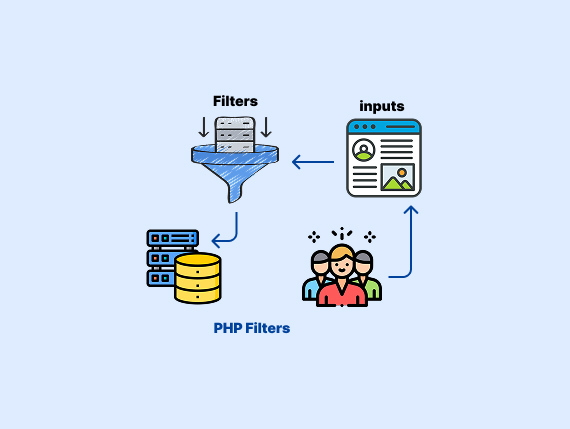
User input can be unpredictable and dangerous. A simple form submission might carry malicious code or invalid data and lead to security risks. PHP filters offer a way to validate and sanitize data.
In this article, we will cover the following topics:
- The meaning of PHP filters.
- Types of PHP filters.
- How
filter_var()works. - How to sanitize data with
filter_var(). - The purpose of
filter_input()in PHP. - Predefined PHP filter constants.
- Methods to customize filters in PHP.
- Examples.
What are PHP Filters
PHP filters provide a way to validate and sanitize data. They help process user input and make sure it is safe and formatted correctly.
You can apply filters using filter_var() or filter_input(). Here are some examples for both:
$email = filter_input(INPUT_POST, 'email', FILTER_SANITIZE_EMAIL);

if ($email) {
    echo "Sanitized Email: " . $email;
} else {
    echo "Invalid input";
}
The filter_input() retrieves and filters input from $_GET, $_POST, $_COOKIE, etc.
$email = "example @domain.com";
$sanitized_email = filter_var($email, FILTER_SANITIZE_EMAIL);

if (filter_var($sanitized_email, FILTER_VALIDATE_EMAIL)) {
    echo "Valid Email: " . $sanitized_email;
} else {
    echo "Invalid Email";
}
The filter_var() filters or validates any variable, not just input from forms.
PHP filters protect against invalid or harmful data. They prevent security risks like SQL injection and cross-site scripting (XSS).
Validation makes sure data meets specific criteria, while sanitization removes unwanted characters.
We will cover types of PHP filters in the following section.
Types of PHP Filters
PHP provides two main types of filters:
- Validation Filters
- Sanitization Filters
Let’s take each one in-depth:
Validation Filters
They confirm whether an input matches a predefined format or condition. These filters are useful for user input validation. They make sure that the received data is correct before further processing.
For example, validation filters can check if:
- An input is a valid email address.
- A number falls within a specific range.
- A URL is formatted correctly.
- An integer input contains only numeric values.
Here is a list of validation filters:
- FILTER_VALIDATE_INT
- FILTER_VALIDATE_EMAIL
- FILTER_VALIDATE_URL
- FILTER_VALIDATE_BOOLEAN
Sanitization Filters
PHP provides sanitization filters that help you to clean user input. They remove or modify unwanted characters.
Sanitization filters clean input data. They remove or alter unwanted elements such as:
- HTML tags (to prevent XSS attacks)
- Special characters (to avoid SQL injection)
- Extra spaces
- Unsafe URL characters
Sanitization makes sure that data is safe to use in web applications, or databases.
PHP provides two primary functions to apply sanitization filters:
- filter_var sanitizes a single variable.
- filter_input sanitizes input from GET, POST, COOKIE, etc.
This list shows you the constants of sanitization filters:
FILTER_SANITIZE_STRING- FILTER_SANITIZE_FULL_SPECIAL_CHARS
- FILTER_SANITIZE_EMAIL
- FILTER_SANITIZE_URL
- FILTER_SANITIZE_NUMBER_INT
- FILTER_SANITIZE_NUMBER_FLOAT
- FILTER_SANITIZE_ADD_SLASHES
- FILTER_SANITIZE_ENCODED
Note: FILTER_SANITIZE_STRING is deprecated in PHP 8.1+.
Next, let’s see how to use each filter with real examples.
How to Validate Data with filter_var() in PHP
filter_var() checks whether a given value matches a predefined format. It returns the value if the validation passes; otherwise, it returns false.
Here is the syntax:
filter_var(variable, filter, options);variable: The data to validate.filter: The type of validation to apply.options: Optional settings for validation (e.g., min/max values).
Here are examples:
Validate an Integer (FILTER_VALIDATE_INT)
Checks if a value is a valid integer.
$number = "123";

if (filter_var($number, FILTER_VALIDATE_INT) !== false) {
    echo "Valid integer";
} else {
    echo "Invalid integer";
}
Range options:
$options = ["options" => ["min_range" => 10, "max_range" => 100]];
$number = 50;

if (filter_var($number, FILTER_VALIDATE_INT, $options)) {
    echo "Valid integer within range";
} else {
    echo "Invalid integer";
}
This code checks if $number is an integer between 10 and 100 using filter_var(). It prints “Valid integer within range” if it is; otherwise, it prints “Invalid integer”.
Validate a Float (FILTER_VALIDATE_FLOAT)
Checks if the value is a valid floating-point number.
$float = "12.34";

if (filter_var($float, FILTER_VALIDATE_FLOAT)) {
    echo "Valid float";
} else {
    echo "Invalid float";
}
Validate a Boolean (FILTER_VALIDATE_BOOLEAN)
Checks if a value represents a valid boolean (true or false). Accepts values like 1, 0, "true", "false", "yes", "no".
$bool = "yes";

if (filter_var($bool, FILTER_VALIDATE_BOOLEAN, FILTER_NULL_ON_FAILURE) !== null) {
    echo "Valid boolean";
} else {
    echo "Invalid boolean";
}
Validate an Email (FILTER_VALIDATE_EMAIL)
This makes sure the input is a properly formatted email address.
$email = "user@example.com";

if (filter_var($email, FILTER_VALIDATE_EMAIL)) {
    echo "Valid email";
} else {
    echo "Invalid email";
}
Validate a URL (FILTER_VALIDATE_URL)
Checks if the input is a well-formed URL.
$url = "https://www.example.com";

if (filter_var($url, FILTER_VALIDATE_URL)) {
    echo "Valid URL";
} else {
    echo "Invalid URL";
}
With additional flags:
$options = ["flags" => FILTER_FLAG_SCHEME_REQUIRED | FILTER_FLAG_HOST_REQUIRED];

if (filter_var($url, FILTER_VALIDATE_URL, $options)) {
    echo "Valid URL with required scheme and host";
} else {
    echo "Invalid URL";
}
Validate an IP Address (FILTER_VALIDATE_IP)
Checks if the input is a valid IP address.
$ip = "192.168.1.1";

if (filter_var($ip, FILTER_VALIDATE_IP)) {
    echo "Valid IP address";
} else {
    echo "Invalid IP address";
}
Validate IPv4 or IPv6:
if (filter_var($ip, FILTER_VALIDATE_IP, FILTER_FLAG_IPV4)) {
    echo "Valid IPv4 address";
}

if (filter_var($ip, FILTER_VALIDATE_IP, FILTER_FLAG_IPV6)) {
    echo "Valid IPv6 address";
}
Validate a MAC Address (FILTER_VALIDATE_MAC)
Ensures that the input is a properly formatted MAC address.
$mac = "00:1A:2B:3C:4D:5E";

if (filter_var($mac, FILTER_VALIDATE_MAC)) {
    echo "Valid MAC address";
} else {
    echo "Invalid MAC address";
}
Let’s move on to the following section to take a look at how to sanitize data with the filter_var function.
How to Sanitize Data with filter_var()
filter_var() takes two main arguments:
filter_var($variable, $filter, $options);$variable: The input data to be sanitized.$filter: The type of filter to apply.$options: Optional parameters for the filter.
Let’s see examples:
Sanitize a String (Remove HTML tags and unwanted characters)
$input = "<h1>Hello!</h1> Welcome <script>alert('XSS');</script>";
$sanitized = filter_var($input, FILTER_SANITIZE_STRING);
echo $sanitized; // Output: Hello! Welcome
Sanitize an Email Address
$email = "user<>@example.com";
$sanitized_email = filter_var($email, FILTER_SANITIZE_EMAIL);
echo $sanitized_email; // Output: user@example.com
Sanitize a URL
$url = "https://www.example.com/<script>alert('XSS');</script>";
$sanitized_url = filter_var($url, FILTER_SANITIZE_URL);
echo $sanitized_url; // Output: https://www.example.com/
Sanitize an Integer
$number = "123abc";
$sanitized_number = filter_var($number, FILTER_SANITIZE_NUMBER_INT);
echo $sanitized_number; // Output: 123
Sanitize a Float
$float = "45.67abc";
$sanitized_float = filter_var($float, FILTER_SANITIZE_NUMBER_FLOAT, FILTER_FLAG_ALLOW_FRACTION);
echo $sanitized_float; // Output: 45.67
How to Customize PHP Filters?
PHP allows you to customize filters by using options and flags with filter_var() and filter_input(). You can also define your own validation logic using FILTER_CALLBACK.
Customize Built-in Filters with Options
Many PHP filters support additional options to control how they behave.
For example:
$age = 25;

$options = [
    "options" => [
        "min_range" => 18,
        "max_range" => 65
    ]
];

if (filter_var($age, FILTER_VALIDATE_INT, $options)) {
    echo "Valid age";
} else {
    echo "Invalid age";
}
Here is another example of how to filter a Boolean value:
$price = "12.99";

$options = [
    "flags" => FILTER_FLAG_ALLOW_FRACTION
];

if (filter_var($price, FILTER_VALIDATE_FLOAT, $options)) {
    echo "Valid price";
} else {
    echo "Invalid price";
}
Custom Validation with FILTER_CALLBACK
If the built-in filters do not meet your needs, you can create your own validation function using FILTER_CALLBACK.
Here is an example:
function validate_username($username) {
    return preg_match("/^[a-zA-Z0-9_]{5,15}$/", $username) ? $username : false;
}

$username = filter_var("user_123", FILTER_CALLBACK, ["options" => "validate_username"]);

if ($username) {
    echo "Valid username: " . $username;
} else {
    echo "Invalid username";
}
Examples
You can use filter_input() to retrieve user input and then further process it using filter_var() for additional validation or sanitization.
Here is an example:
$email = filter_input(INPUT_POST, 'email', FILTER_SANITIZE_EMAIL);

if ($email && filter_var($email, FILTER_VALIDATE_EMAIL)) {
    echo "Valid email: " . $email;
} else {
    echo "Invalid email address.";
}
How it works:
filter_input()retrieves the email from$_POSTand sanitizes it.filter_var()validates if the sanitized email is correctly formatted.
Sometimes, user input needs both sanitization (to clean unwanted characters) and validation (to check if the input format is correct).
For example:
$url = filter_input(INPUT_GET, 'website', FILTER_SANITIZE_URL);

if ($url && filter_var($url, FILTER_VALIDATE_URL)) {
    echo "Valid URL: " . $url;
} else {
    echo "Invalid URL.";
}
Here is an explanation of how it works:
- Sanitize:
FILTER_SANITIZE_URLremoves unwanted characters. - Validate:
FILTER_VALIDATE_URLensures it is a properly formatted URL.
Wrapping Up
User input can be risky. Hackers can attack your system with SQL injection or XSS if you don’t handle it right. PHP has built-in filters to check and clean user input, so your data stays safe before you use it.
In this article, we covered:
- Check if data fits the right format (like emails, numbers, or URLs).
- Remove harmful characters from input.
- How to use
filter_var()andfilter_input(). - Use options and
FILTER_CALLBACKfor advanced checks.
FAQ’s
What are PHP filters used for?
What is the difference between filter_var() and filter_input() in PHP?
What are the types of filters in PHP?
- Validation filters: Check if data meets a format (e.g., email, integer, URL).
- Sanitization filters: Remove or clean unwanted characters (e.g., HTML tags, extra spaces).
How do I validate an email in PHP?
$email = filter_var($input, FILTER_VALIDATE_EMAIL);Can I customize PHP filters?
Similar Reads
PHP introduced null to handle undefined or missing values. It helps prevent errors when you check if a variable exists.…
PHP array_intersect_uassoc checks two or more arrays and returns matches. It compares both the values and the keys with a…
The PHP break statement helps in controlling the flow of loop work. It gives you a way to stop a…
Sometimes, you may need to list collections with MongoDB in a PHP environment to manage or analyze your database structure.…
You use integers (int) in PHP to count items, set page numbers, handle IDs, and manage loop counters. In this…
The PHP array_fill_keys function helps you to build an array where each key has the same value. What is the…
You can use array_filter in PHP to remove unwanted data from arrays. It works with a custom callback or default…
PHP array_push lets you add one or more values to the end of an array. It appeared to make adding…
In PHP, string operators, such as the concatenation operator (.) and its assignment variant (.=), are employed for manipulating and…
You may need to get part of a text when you work with text in PHP. The mb_substr gives you…