Table of Content
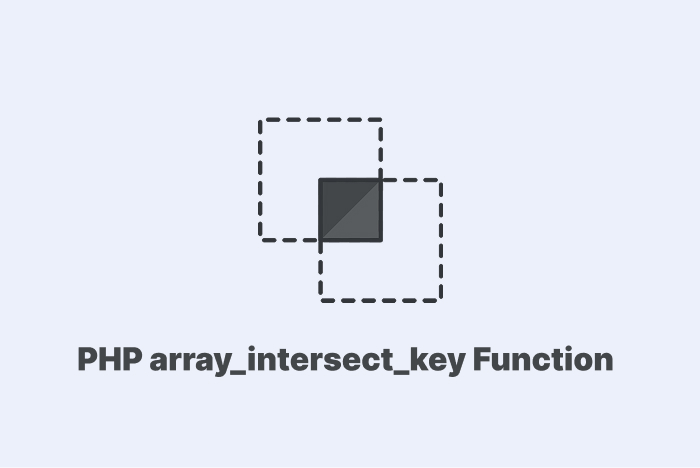
PHP array_intersect_assoc compares values and keys in arrays. It returns matches with the same key and value from all arrays you pass.
Understand the array_intersect_assoc in PHP
The array_intersect_assoc function compares both keys and values. It checks each pair across arrays and returns elements that match in both value and key.
The syntax looks like this:
array_intersect_assoc($array1, $array2, ...$arrays)$array1: the base array for comparison.$array2: the second array to check against....$arrays: more arrays to check.- It returns an array with elements that match in key and value.
Here is a quick example:
$a = ["x" => 10, "y" => 20, "z" => 30];
$b = ["x" => 10, "y" => 25, "z" => 30];
$result = array_intersect_assoc($a, $b);
print_r($result);
The output will be:
Array
(
    [x] => 10
    [z] => 30
)
This result shows both the key and the value match in those pairs.
The function checks $array1 and compares each element with other arrays. It checks both the value and the key. If both match, then it keeps the element in the result.
The Difference Between array_intersect and array_intersect_assoc
The array_intersect compares only the values. It does not check the keys.
The array_intersect_assoc compares both values and keys. It returns only elements that match in both.
Here is a table showing you the key differences:
| Function | Check Values | Check Keys |
|---|---|---|
| array_intersect | Yes | No |
| array_intersect_assoc | Yes | Yes |
Use array_intersect when you only need value matches. Use array_intersect_assoc when key match matters in your logic.
Examples of array_intersect_assoc in PHP
Match Keys and Values:
$a = ["id" => 1, "age" => 22, "score" => 85];
$b = ["id" => 1, "age" => 25, "score" => 85];
$result = array_intersect_assoc($a, $b);
print_r($result);
This returns keys id and score because both key and value match in both arrays.
Here is the output:
Array
(
    [id] => 1
    [score] => 85
)
Compare Three Arrays:
$a = ["a" => 100, "b" => 200, "c" => 300];
$b = ["a" => 100, "b" => 250, "c" => 300];
$c = ["a" => 100, "c" => 300, "d" => 400];
$result = array_intersect_assoc($a, $b, $c);
print_r($result);
The result contains a and c. Both have the same key and the same value across all three arrays.
The output:
Array
(
    [a] => 100
    [c] => 300
)
Compare with Mixed Keys:
$a = [10 => "x", 20 => "y", 30 => "z"];
$b = [10 => "x", 20 => "y", 25 => "z"];
$result = array_intersect_assoc($a, $b);
print_r($result);
The result has keys 10 and 20 because they match in both key and value. The output:
Array
(
    [10] => x
    [20] => y
)
Nested Array Values:
$a = ["data" => [1, 2], "code" => 300];
$b = ["data" => [1, 2], "code" => 400];
$result = array_intersect_assoc($a, $b);
print_r($result);
The function compares the arrays inside data and finds that it is equal in both arrays. This shows you two warning messages.
Here is the output:
Array
(
    [data] => Array
        (
            [0] => 1
            [1] => 2
        )

)

PHP Warning:  Array to string conversion in index.php on line 6
PHP Warning:  Array to string conversion in index.php on line 6
That is because the array_intersect_assoc uses comparison operators. So, when it tries to compare values, it may attempt string conversion if one side is not an array.
Here is the correct code:
$a = ["data" => [1, 2], "code" => 300];
$b = ["data" => [1, 2], "code" => 400];

$result = [];
foreach ($a as $key => $value) {
    if (array_key_exists($key, $b) && $value === $b[$key]) {
        $result[$key] = $value;
    }
}
print_r($result);
The output:
Array
(
    [data] => Array
        (
            [0] => 1
            [1] => 2
        )

)
Wrapping Up
You learned what array_intersect_assoc does and how it works with syntax and return values. You also saw how it differs from array_intersect and why that matters.
Here is a quick recap:
- array_intersect_assoc checks keys and values.
- array_intersect checks values only.
- You can pass more than two arrays.
- The result only keeps the key-value pairs that are the same in every array.
FAQs
What does PHP array_intersect_assoc do?
$a = ["id" => 1, "name" => "Ali", "role" => "admin"];
$b = ["id" => 1, "name" => "Ali", "role" => "user"];
$result = array_intersect_assoc($a, $b);
print_r($result);- It checks both keys and values.
- Only identical key-value pairs remain.
What is the difference between array_intersect and array_intersect_assoc?
$a = ["x" => 10, "y" => 20];
$b = ["y" => 20, "z" => 10];

print_r(array_intersect($a, $b));
print_r(array_intersect_assoc($a, $b));- array_intersect returns matches by value.
- array_intersect_assoc returns matches by key and value.
Can array_intersect_assoc handle numeric keys?
$a = [0 => "red", 1 => "blue", 2 => "green"];
$b = [1 => "blue", 2 => "yellow", 0 => "red"];

print_r(array_intersect_assoc($a, $b));- Key 0 with "red" matches.
- Key 1 with "blue" matches.
- Key 2 fails since values differ.
Similar Reads
pplications. Such As as From registering new users to collecting form submissions and storing product details. Things like adding a…
PHP array_find was released in PHP 8.4 to locate a value inside an array and returns the first match. Understand…
PHP array_merge_recursive joins two or more arrays into one nested array and keeps all values with their keys. Syntax of…
When you deal with text in PHP, sometimes you need to break it into parts. This is common when users…
PHP array_unshift helps you add new elements to appear before the existing ones. Understand the array_unshift function in PHP The…
When you start working with PHP, you’ll soon need access to variables from multiple places in your code. For this,…
The NOT operator in PHP (!) provides the reverse of whatever truth value is given by a certain expression. It’s…
You use integers (int) in PHP to count items, set page numbers, handle IDs, and manage loop counters. In this…
The callback in PHP lets you pass functions as arguments and reuse code. It helps you to control how tasks…
Filtering data is a big part of getting the right information to show up. That is where the WHERE clause…