PHP array_flip swaps keys with values. It works well when you need values as keys in fast lookups.
What is the array_flip Function in PHP?
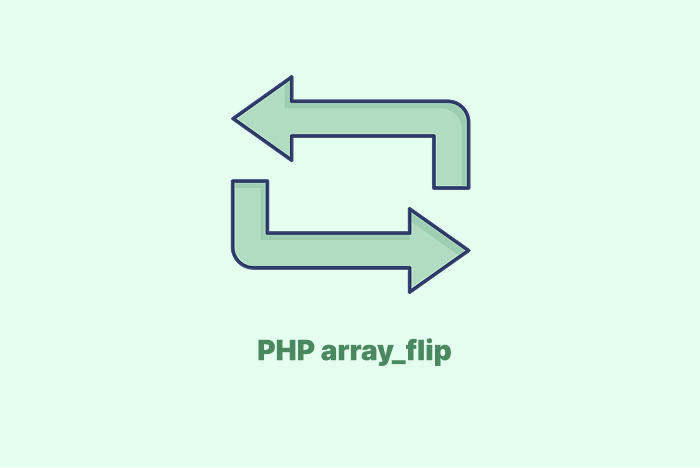
The array_flip function swaps all keys with values in an array. The result holds values as keys and keys as values.
The syntax looks like this:
array_flip(array $array)- It takes one parameter: an array with key and value pairs.
- It returns a new array with swapped keys and values.
You can use array_flip to switch keys and values. It works best when you need values as keys for fast checks or mappings.
Here is a quick example:
$data = ["a" => 1, "b" => 2];
$result = array_flip($data);
print_r($result);
Here is the output:
Array
(
    [1] => a
    [2] => b
)
It swaps the values with keys and returns the new array.
The function loops through each element. It sets the value as the new key. It then sets the key as the new value.
If two or more values match, the last one replaces the others. The function cannot hold duplicate keys. Only the last pair stays in the final array.
Examples of array_flip in PHP
Here is an example:
$colors = ["red" => 1, "blue" => 2, "green" => 3];
$result = array_flip($colors);
print_r($result);
This shows the swap of color names with numbers. Each value turns into the new key and each key turns into the new value. Here is the output:
Array
(
    [1] => red
    [2] => blue
    [3] => green
)
Here is another example:
$letters = ["x" => 10, "y" => 20, "z" => 20];
$result = array_flip($letters);
print_r($result);
This shows the effect of duplicate values. The key for “y” is lost because “z” also holds 20. The last one replaces the earlier one.
The output:
Array
(
    [10] => x
    [20] => z
)
You can also flip an array with mixed keys. Here is an example:
$data = [100 => "cat", 200 => "dog", 300 => "bird"];
$result = array_flip($data);
print_r($result);
This swaps numbers with animal names. Each number becomes a new value and each name becomes a new key.
The output:
Array
(
    [cat] => 100
    [dog] => 200
    [bird] => 300
)
Wrapping Up
In this article you learned what array_flip does and how it swaps keys with values. You also saw what happens with duplicates and how mixed keys behave.
Here is a quick recap:
- array_flip swaps all keys and values.
- It returns a new array after the swap.
- Duplicate values overwrite earlier keys.
- You can flip arrays with numbers, text, or boolean values.
FAQs
What does PHP array_flip function do?
array_flip() function in PHP exchanges keys and values in an array.
For example:
$data = ["a" => 1, "b" => 2, "c" => 3];
$result = array_flip($data);
print_r($result);Array
(
[1] => a
[2] => b
[3] => c
)How does PHP array_flip handle duplicate values?
array_flip() finds duplicate values, only the last one is kept as a key.
For example:
$data = ["x" => 1, "y" => 1, "z" => 2];
$result = array_flip($data);
print_r($result);Array
(
[1] => y
[2] => z
)Can array_flip work with multidimensional arrays?
array_flip() only works on single level arrays.
If a value is an array, it throws an error.
For example:
$data = ["x" => [1,2], "y" => 3];
$result = array_flip($data);What are real use cases of PHP array_flip?
- Removing duplicates from an array
- Quick lookup of values as keys
- Swapping key-value pairs for mapping
$items = ["apple", "banana", "apple", "orange"];
$result = array_keys(array_flip($items));
print_r($result);Array
(
[0] => apple
[1] => banana
[2] => orange
)Similar Reads
User input does not always come through as expected. Sometimes values are missing or not set at all. This can…
If you are working with PHP and need a way to confirm if something is indeed a file, the is_file function will…
PHP arrays serve as powerful tools for storing multiple values in a single variable. To manipulate arrays efficiently, PHP provides…
Early PHP scripts often failed because of extra spaces or line breaks in strings. These issues came from user input…
One of the first tasks you will likely encounter is creating a table in databases. Tables are the main part…
In this tutorial, I will explain what does mean the PHP resource and we are going to cover all PHP…
The PHP continue statement skips the rest of the loop in the current cycle. It jumps to the next cycle…
PHP type juggling refers to the dynamic system where the type of a variable is determined by its context in…
The PHP operator precedence refers to when doing a calculation for three or more numbers, they are calculating its values…
The PHP object is an instance from the PHP class or the main data structure that is already been created…