Table of Content
The filter_var_array() appeared to make input validation simple and sanitization in PHP.
It handles multiple inputs with different filters was repetitive and error-prone.
Here is what we cover in this article:
- What
filter_var_arrayis in PHP and how it works. - How to validate form data with it.
- Validate email and URLs. Also, validate numbers with the filter_var_array function.
Let’s move on to its definition and how it works.
Understand the PHP filter_var_array
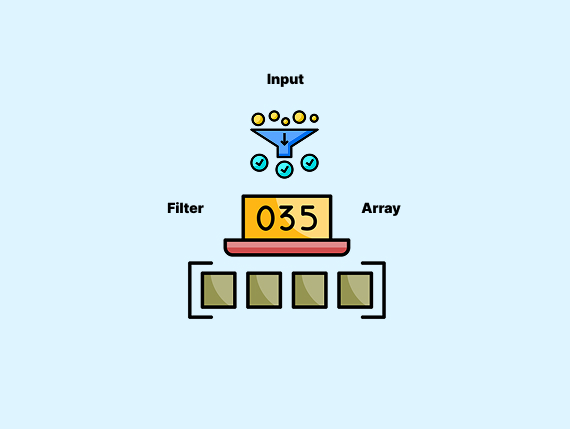
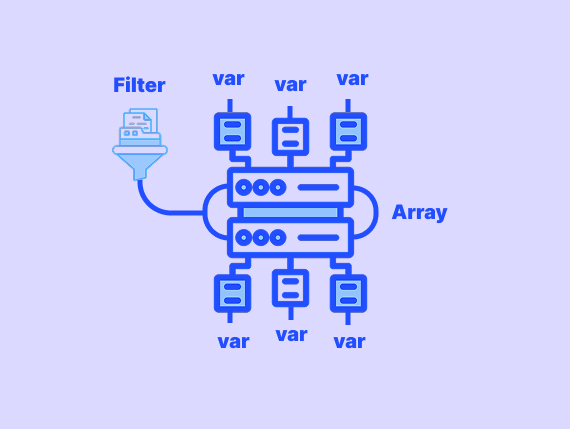
The filter_var_array() is a PHP function that filters multiple values in an array using specified validation and sanitization rules. It applies different filters to each element.
The syntax:
filter_var_array($array, $options, $add_empty)Here are the parameters:
$arrayrefers to the input array to filter. It should array type.$optionsparameter is an array of filters (key-value pairs) or a single filter for all values.$add_emptyis an optional ( defaulttrue). It controls whether missing keys should be added asnull.
It returns:
- The filtered array on success.
- A
falsevalue if filtering fails. - Returns
nullif the input is not an array.
Example 1: Validate Form Data with filter_var_array in PHP
Here is an example to validate form data:
$data = [
    'name' => 'FlatCoding Username',
    'email' => 'flatcodinguser@example.com',
    'age' => '25'
];

// It defines validation rules
$filters = [
    'name'  => FILTER_SANITIZE_STRING,
    'email' => FILTER_VALIDATE_EMAIL,
    'age'   => [
        'filter'  => FILTER_VALIDATE_INT,
        'options' => ['min_range' => 18, 'max_range' => 100]
    ]
];

// Apply filters
$validatedData = filter_var_array($data, $filters);

// Check if validation passed
if ($validatedData['email'] === false || $validatedData['age'] === false) {
    echo "Invalid input detected.";
} else {
    print_r($validatedData);
}
Output:
Array
(
    [name] => FlatCoding Username
    [email] => flatcodinguser@example.com
    [age] => 25
)
How does it work?
FILTER_SANITIZE_STRINGremoves unwanted characters fromname.FILTER_VALIDATE_EMAILensuresemailis valid.FILTER_VALIDATE_INTchecks ifageis a number between 18 and 100.
This method ensures safe and validated user input.
Example 2: Validate Email, URLs, and Numbers with filter_var_array in PHP
This example shows you how to validate emails, URLs, and numbers:
// Sample input data (usually from $_POST or $_GET)
$data = [
    'email'   => 'user@example.com',
    'website' => 'https://flatcoding.com',
    'age'     => '30',
    'price'   => '19.99'
];

// Define validation rules
$filters = [
    'email'   => FILTER_VALIDATE_EMAIL,
    'website' => FILTER_VALIDATE_URL,
    'age'     => FILTER_VALIDATE_INT,
    'price'   => FILTER_VALIDATE_FLOAT
];

// Apply filters
$validatedData = filter_var_array($data, $filters);

// Check for validation errors
if (in_array(false, $validatedData, true)) {
    echo "Invalid input detected.";
} else {
    print_r($validatedData);
}
Output:
Array
(
    [email] => user@example.com
    [website] => https://flatcoding.com
    [age] => 30
    [price] => 19.99
)
Here is how it works:
FILTER_VALIDATE_EMAILhelp you to make sure the email is valid.FILTER_VALIDATE_URLchecks if the URL format is correct.FILTER_VALIDATE_INTmakes sureageis a valid integer.FILTER_VALIDATE_FLOATcheckespriceis a valid decimal number.
This method validates multiple input types at once.
Example 3: Customize Filter with filter_var_array for Advanced Validation
You can customize filter_var_array() using advanced validation options like range limits, required formats, and flags.
// Sample input data (usually from $_POST or $_GET)
$data = [
    'username' => 'JohnDoe123',
    'email'    => 'user@example.com',
    'age'      => '25',
    'website'  => 'https://example.com',
    'ip'       => '192.168.1.1'
];

// Define custom filters
$filters = [
    'username' => [
        'filter'  => FILTER_CALLBACK,
        'options' => function ($value) {
            return preg_match('/^[a-zA-Z0-9_]{5,20}$/', $value) ? $value : false;
        }
    ],
    'email'   => FILTER_VALIDATE_EMAIL,
    'age'     => [
        'filter'  => FILTER_VALIDATE_INT,
        'options' => ['min_range' => 18, 'max_range' => 65]
    ],
    'website' => [
        'filter'  => FILTER_VALIDATE_URL,
        'flags'   => FILTER_FLAG_PATH_REQUIRED
    ],
    'ip'      => FILTER_VALIDATE_IP
];

// Apply filters
$validatedData = filter_var_array($data, $filters);

// Check for validation errors
if (in_array(false, $validatedData, true)) {
    echo "Invalid input detected.";
} else {
    print_r($validatedData);
}
Output:
Invalid input detected.
Here is how it works:
- I used
FILTER_CALLBACKwith a regex pattern. Only allows letters, numbers, and underscores (5-20 characters). - In the age we make sure the age is between 18 and 65.
- It also requires a valid URL with a path (
FILTER_FLAG_PATH_REQUIRED). - We also check for a valid IP format.
This method provides stricter validation and more control over input processing.
Wrapping Up
You learned in this article how filter_var_array() to make input validation simple and sanitization in PHP. You also saw practical examples of validating form data and emails.
Also, you learned how to validate URLs and numbers with advanced filtering options.
Here is a quick recap:
filter_var_array()processes multiple inputs at once using different filters.- You can sanitize and validate form data to prevent invalid input.
- It supports email, URL, integer, and float validation.
- Advanced filtering allows custom validation with
FILTER_CALLBACK, range checks, and flags.
If you need more PHP tutorials, click here.
FAQ’s
What is filter_var_array() used for?
How is filter_var_array() different from filter_var()?
Can I use filter_var_array() to sanitize input?
What happens if a value fails validation?
Does filter_var_array() remove missing keys?
Similar Reads
You always start with “Hello World” when you learn a new language. It keeps things simple. You see right away…
User input does not always come through as expected. Sometimes values are missing or not set at all. This can…
PHP introduced traits to solve a problem with code reuse. Before traits, developers used inheritance and interfaces to share functionality…
PHP supports OOP with access modifiers to prevent unintended changes and improve security. In this article, we will cover the…
File Handling in PHP is an important tool especially when you need to manage files such as reading, writing, or…
If you're coding in PHP you've most probably come across the terms 'parameters' and 'arguments' in functions. Well, they are…
A loop in PHP helps you run tasks without repeating the same lines. In this article, you will learn how…
You can assign the boolean data type to PHP variables or use it as a direct value. This enables you…
Sometimes things go wrong when PHP runs the code. So, you need to know the reasons for this error to…
The function_exists() function in PHP checks whether a given function is defined or not. The function_exists() function works for both…