Table of Content
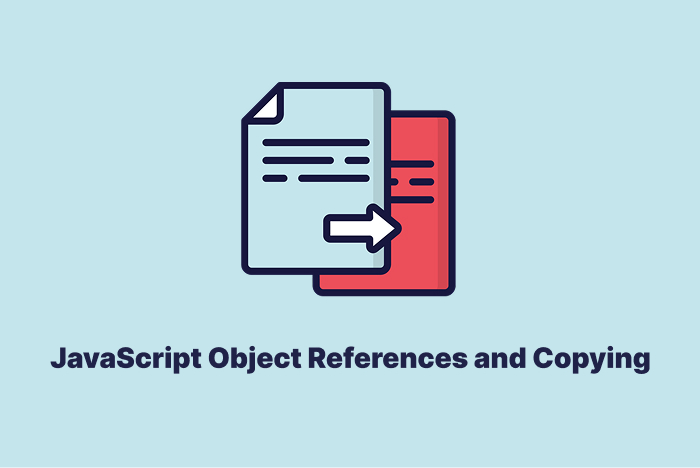
Object References in JavaScript mean that variables do not store full objects but only their references in memory.
What is an Object Reference in JavaScript
An object reference points to the place in memory where the object lives. A variable does not hold the real object but only its reference.
Here is an example:
let obj = { name: "Ali" };
let copy = obj;
Here, the variable copy does not store a new object. It points to the same object as obj.
A copy does not always mean a new object in memory. Sometimes both variables point to one object and changes affect both.
Difference Between Shallow Copy and Deep Copy
A shallow copy makes a new object but still points to nested objects. A deep copy makes a full new object with no shared parts.
| Aspect | Shallow Copy | Deep Copy |
|---|---|---|
| Nested Objects | Same reference | New reference |
| Memory Use | Less | More |
| Change Effect | Reflects in both | Stays separate |
A shallow copy works well for small objects. A deep copy works well for complex data with many nested values.
Use Object.assign() for copying
You can make a shallow copy with Object.assign().
let obj = { a: 1, b: 2 };
let copy = Object.assign({}, obj);
The object copy has a new reference but nested objects still share links with the old one.
Copy with the spread operator ...
The spread operator also makes a shallow copy.
let obj = { a: 1, b: 2 };
let copy = { ...obj };
The variable copy now points to a new top-level object. Nested objects still share links with the original one.
Deep copy with structuredClone() and JSON.parse()
You can use structuredClone() to make a deep copy.
let obj = { a: { b: 2 } };
let deep = structuredClone(obj);
You can also use JSON methods for deep copy but they work only for JSON-safe data.
let obj = { a: { b: 2 } };
let deep = JSON.parse(JSON.stringify(obj));
This method does not handle functions or special objects.
Examples of Object References in JavaScript
Simple reference:
let a = { x: 10 };
let b = a;
b.x = 20;
console.log(a.x);
In this case variable a shows the value 20. Both variables point to the same object and one change affects both.
Shallow copy with spread:
let obj = { x: 1, y: { z: 2 } };
let copy = { ...obj };
copy.y.z = 50;
console.log(obj.y.z);
The console shows 50. The spread makes a new top object but nested objects still stay linked to the original one.
Deep copy with structuredClone:
let obj = { user: { name: "Sara" } };
let copy = structuredClone(obj);
copy.user.name = "Omar";
console.log(obj.user.name);
The console shows Sara. The deep copy makes a full new object so nested parts do not stay linked.
JSON deep copy limit:
let obj = { date: new Date(), num: 10 };
let copy = JSON.parse(JSON.stringify(obj));
console.log(copy.date);
The console shows a string instead of a date. JSON copy breaks special types like dates and turns them into plain strings.
Wrapping Up
You learned about object references in JavaScript and ways to copy them.
Here is a quick recap:
- Shallow copy shares nested data.
- Deep copy makes full new data, and each method has limits.
FAQs
What is the difference between JavaScript object reference and copy?
- Reference: Both variables point to the same object.
- Copy: A new object is created with the same values.
let obj1 = {name: "Alex"};
let obj2 = obj1; // reference
obj2.name = "Sam";

console.log(obj1.name); // Sam
How do you create a shallow copy of an object in JavaScript?
Object.assign() or the spread operator to make a shallow copy.
// Using Object.assign()
let obj1 = {age: 25};
let copy1 = Object.assign({}, obj1);

// Using spread operator
let copy2 = {...obj1};
How do you make a deep copy of an object in JavaScript?
structuredClone() or JSON.parse(JSON.stringify()) for deep copies.
// Using structuredClone
let obj1 = { user: { name: "Tom" } };
let deepCopy = structuredClone(obj1);
deepCopy.user.name = "Eva";

console.log(obj1.user.name); // Tom
- structuredClone is the modern way.
- JSON.parse works but loses methods and special values.
Similar Reads
The toSpliced function creates a new array without changing the original array in JavaScript. It returns a copy with new…
You will learn what the JavaScript valueOf function does and how it works. It returns the primitive value of an…
The development of full-featured and interesting pages cannot be done without JavaScript which makes it possible to animate plain HTML…
Math.sin() in JavaScript gives the sine of a number. This number must be in radians. You use it to work…
JavaScript removes unused memory blocks with garbage collection. It frees memory space so programs run without leaks. What is JavaScript…
JavaScript gives you the Math.trunc() function to work with decimal numbers. You use it when you want to remove the…
Code mistakes used to slip by without a warning. That made bugs hard to trace and fix. JavaScript "use strict"…
Math.atan() function in JavaScript helps you to solve math problems in your code. It turns a number into an angle.…
You will face hoisting early when you write JavaScript. It affects how your code runs, and it may confuse you…
The ternary operator in JavaScript keeps your code short. It helps you write conditions inside one line. JavaScript lets you…